
What Is the Best Process Management Software for Small Businesses?
Your team is running processes out of email threads and shared drives. That works until an audit, a new hire, or a missed handoff exposes how much lives in people's heads. Most small businesses start comparing process management software right after something slips through.
This article breaks down what to look for in features, pricing, and scalability, then reviews seven platforms including Process Street, Nintex, and ProcessMaker. You will get a clear number one pick and the criteria to match a tool to your team size, budget, and compliance needs.
What to Look For in Process Management Software for Small Businesses
When evaluating process management software for a small business, you need to balance immediate usability with long-term scalability. A tool that feels powerful on day one but overwhelms your team by week two is a net loss. The right choice fits how your team works today while leaving room to grow.
Small businesses rarely have dedicated IT staff, so ease of use is not a nice-to-have. If setting up a workflow requires a consultant or a training course, adoption will stall. Look for a drag-and-drop interface and a no-code or low-code builder that a non-technical employee can learn in an afternoon.
Next, weigh the features you actually need against the ones you might never touch. Task automation, document management, and approval workflows tend to matter far more than advanced analytics for a lean team. Pricing models also vary widely, from per-user subscriptions to flat-rate tiers, and the cheapest headline price is not always the lowest real cost.
Finally, think about where your business will be in two or three years. Will the software handle more users, connect to the tools you rely on, and support the processes you have not built yet? The following breakdown covers the specific features, pricing structures, and scalability signals worth checking before you commit.
Key Features, Pricing, and Scalability Factors
For small businesses, the most valuable features streamline daily operations without requiring dedicated IT support. Prioritize tools that reduce manual work and keep information in one place. A drag-and-drop workflow builder lets you map a process visually, while automation rules handle repetitive steps like assigning tasks or sending reminders. Document management keeps files attached to the right process, and approval workflows ensure the right person signs off before work moves forward.
- Drag-and-drop workflow builder for mapping processes without code
- Task automation to assign, notify, and trigger steps automatically
- Document management so files live alongside the process they belong to
- Approval workflows for sign-offs, reviews, and compliance checkpoints
- Collaboration features such as comments, mentions, and shared views
- Reporting to spot bottlenecks in team productivity
Pricing generally follows one of three models. Per-user pricing scales with headcount but can get expensive as you hire. Tiered plans bundle features by level, so you may pay for capabilities you do not need yet. Flat-rate pricing offers predictable costs but sometimes caps users or storage. Always use a free trial before buying, and test it with a real process your team runs weekly.
Scalability shows up in less obvious places. Check user limits, whether API access is included, and how well the tool connects to your CRM integration, accounting software, and HR software. A platform that talks to your existing stack avoids duplicate data entry and keeps team productivity high as you grow.
Consider a practical example. A five-person agency that automates client onboarding can cut hours of manual coordination each week. If that same tool cannot add seats or sync with its invoicing system a year later, the team ends up rebuilding the process somewhere else. Choosing software with clear growth paths, like flexible user limits and open integrations, prevents that costly migration.
1. Process Street - Best Overall
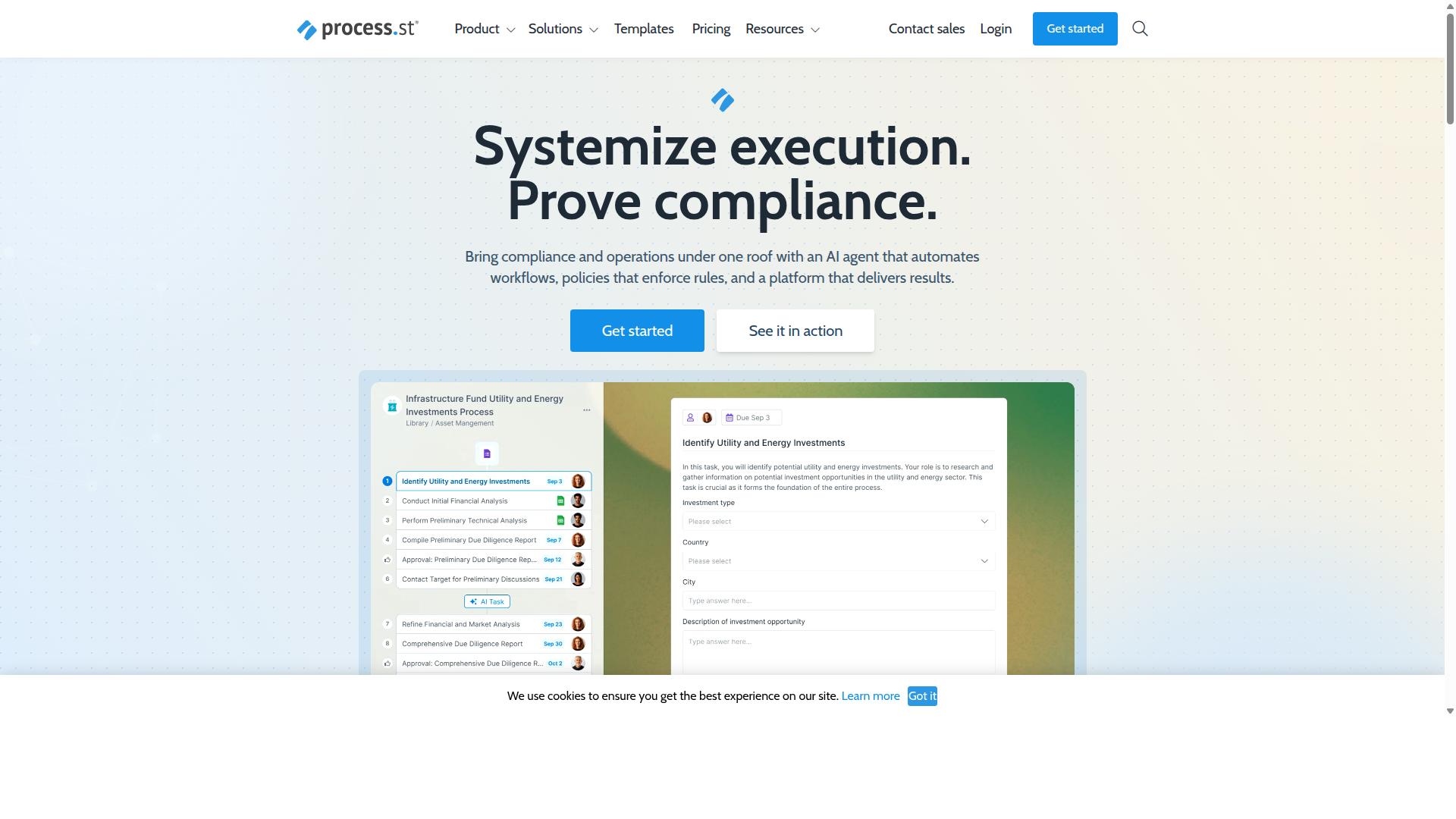
Process Street earns the top spot for its comprehensive compliance and workflow automation capabilities tailored to small businesses. Most process management software forces a tradeoff: simple tools lack governance, while enterprise platforms overwhelm lean teams. Process Street sits in the middle, pairing a no-code workflow builder with document management and audit-ready compliance controls.
That combination matters for small businesses in regulated fields. A ten-person healthcare clinic or fintech startup faces the same ISO 9001 and SOC 2 expectations as a large enterprise, but without a compliance department. Process Street turns written policies into repeatable, trackable workflows that run the same way every time.
The platform covers three connected areas: document management, workflow automation, and compliance monitoring. Small teams get one place to store policies, run the processes that follow from them, and keep evidence ready for audits. The detailed breakdown below covers standout features, pricing plans, and the teams that benefit most.
Standout Features, Pricing, and Who It's Best For
Process Street stands out with its AI-powered workflow automation and audit-ready compliance tools, making it ideal for regulated industries. The platform is built around three core products that work together.
- Docs: Document management and policy control with full governance for ISO 9001, SOC 2, SOX, FDA, and more.
- Ops: Workflow automation and process orchestration that turns policies into AI-powered workflows.
- Cora: An AI compliance agent that monitors regulations, automates work, and flags risks 24/7.
Supporting features include Process AI, Automations, Analytics, Apps, and Integrations. The platform connects with Zapier, Microsoft Power Automate, Tray.io, and Make, plus Public API access for custom connections to CRM, accounting software, and HR systems.
| Plan | Key Details |
|---|---|
| Startup | A simplified Pro plan for startups. Unlimited workflows and tasks, up to 5,000 Data Set records, 5 users, 10 guests, 10 automation apps, 100 automation actions per month, Public API (50 calls per month). |
| Pro | Transform team knowledge into actionable workflows. Unlimited workflows and tasks, up to 10,000 Data Set records, custom users and guests, all automation apps, custom automation actions per month, custom API calls per month. |
| Enterprise | A scalable operational knowledge repository. Custom Data Set records, unlimited Public API access, dedicated Success Manager, priority support, fully-managed workflows, custom integrations, bulk document import, process consulting and health audit, personalized team training. |
A 14-day free trial is available on the Pro plan with no credit card required. IMCD UK reported 30% faster documentation and a 75%+ reduction in setup time after adopting the platform.
Process Street fits operations, compliance, HR, and finance teams, particularly in financial services, healthcare, and technology. These groups run recurring processes where consistency and an audit trail matter, from employee onboarding to approval workflows. Small teams that need governance without a heavy BPM rollout will find the fit strongest here.
2. Nintex
Nintex is a robust workflow automation platform that excels in complex process orchestration for growing businesses. Where many tools in the process management software category focus on simple task management, Nintex leans toward deeper automation and business process management for organizations that have outgrown basic checklists and Kanban boards.
It is available in both cloud and self-hosted form, which gives teams flexibility in how they deploy it. The cloud option suits companies that want faster setup and easier remote work access, while the self-hosted option appeals to organizations with strict data or compliance requirements.
Nintex targets departments such as HR, finance, IT, and sales, and it serves industries including government, financial services, healthcare, and manufacturing. That spread says a lot about its positioning: it tends to fit businesses with formal processes, multiple approvers, and a need for audit trails rather than small teams wanting a lightweight task list.
Its core strengths fall into a few areas:
- Workflow automation for routing tasks, approvals, and documents across teams
- Process management for mapping and monitoring how work actually flows
- Document automation and eSign for contracts and forms
- Robotic process automation for repetitive, rules-based steps
- Application development for building internal tools without heavy coding
Integration is where Nintex often earns its place in a small business stack. It offers dedicated solutions for Salesforce and Microsoft environments, so companies already invested in those ecosystems can extend existing tools rather than replace them.
For Salesforce users, that means no-code workflow automation, document generation, and customer experience building inside the platform. For Microsoft-centric teams, it means no-code workflows and process intelligence layered onto tools they already use daily.
Common use cases include contract management, customer compliance such as KYC checks, and approval workflows that span several departments. These are processes where a missed step carries real cost, which is why a business process management approach matters more than a simple to-do list.
On pricing, Nintex generally works on a quote-based model rather than a published per-user subscription. Small businesses should expect to speak with sales, define their requirements, and compare that quote against the simpler pricing plans common in cloud-based software.
That structure is worth weighing carefully. A quote-based tool can be a strong fit when automation saves meaningful staff hours, but it can feel heavy for a small team that just needs task management, basic approval workflows, and a drag-and-drop interface.
If your small business is comparing BPM tools, Nintex is a credible option when process complexity is genuinely high. If your needs are simpler, it is useful to understand what it offers before deciding whether that depth is an advantage or unnecessary overhead.
3. ProcessMaker
ProcessMaker offers a low-code BPM suite that enables small businesses to automate workflows with minimal coding. It is designed for teams that want to build business process management tools without hiring a dedicated development staff.
The platform centers on three core capabilities: low-code development, process modeling, and form building. Together, these let a small business map out how work moves through the company, then turn that map into a working application. Rather than writing code from scratch, users assemble workflows from visual building blocks.
Process modeling is where ProcessMaker tends to appeal to operations-focused teams. Users can diagram a process, define the steps and decision points, and connect those steps to real tasks and approvals. This makes it easier to see where bottlenecks occur before a workflow goes live.
Form building rounds out the toolkit. Teams can create digital forms that collect information at each stage of a process, which helps replace paper-based requests and scattered email threads. The result is a more structured intake process for common requests like purchase approvals or employee onboarding.
Because of this flexibility, ProcessMaker suits organizations that need to adapt workflows frequently. A small business with shifting processes may find that a low-code approach reduces the back-and-forth of requesting changes from an IT team. However, that same flexibility can mean a steeper learning curve than a simpler, more templated tool.
Public feedback on the platform is mixed. Reviewers have raised concerns about bugs, interface limitations, and missing features, alongside questions about pricing. These are worth weighing against the platform's customization strengths during an evaluation.
One important development: as of November 10, 2025, ProcessMaker merged with Decisions, and Decisions is now the customer-facing brand. Small businesses researching the tool should confirm current product names and support channels directly with the vendor.
Pricing generally follows two paths. An open-source edition gives teams a way to start without a large upfront commitment, while an enterprise tier adds the management and support features larger deployments tend to need. Exact figures are not published consistently, so request a quote based on your seat count and required features.
ProcessMaker is frequently listed alongside alternatives such as Nintex, Appian, FlowForma, Bizagi, and Pega. Those tools are often noted for strengths in workflow, document automation, BPMN modeling, and decisioning, so comparing a shortlist across those categories can clarify which fits your team.
For a small business, the practical question is whether the added flexibility justifies the setup effort. If your processes change often and you have someone who enjoys configuring systems, a low-code BPM tool can pay off. If you need something running in days with minimal configuration, a simpler option may serve you better.
4. Flokzu
Flokzu is a cloud-based BPM platform designed for simplicity, making it accessible to small teams new to process automation. It focuses on helping businesses digitize routine tasks without requiring a dedicated IT team or lengthy setup projects.
For a small business weighing process management software options, Flokzu represents the "quick start" end of the market. Its cloud-native design means there is nothing to install on local machines, and teams can typically begin building their first workflows shortly after creating an account.
The platform centers on two core capabilities: form design and workflow automation. Users build digital forms to capture data at each step of a process, then connect those steps into an automated flow that routes tasks to the right person. This makes it a practical fit for common small business needs such as approval workflows, request intake, and document management.
- Drag-and-drop form builder for creating intake forms and data capture screens without coding
- Workflow automation rules that move tasks between team members based on conditions or deadlines
- Task management and tracking so managers can see where a process stands at any moment
- Reporting on process performance, useful for spotting bottlenecks in recurring work
Because it leans toward a no-code approach, Flokzu appeals to operations managers, administrators, and team leads rather than developers. That lowers the barrier for small companies that want workflow automation but lack technical staff.
Flokzu follows a per-user, monthly subscription model, and the company offers a free trial so teams can test the platform before committing. Exact plan tiers and current rates change over time, so it is worth checking the vendor's site directly for up-to-date pricing.
This pricing structure suits small businesses because costs scale with headcount rather than requiring a large upfront investment. A team of five can start small and add seats as the business grows, which keeps early spending predictable.
Where Flokzu stands out is deployment speed. Small teams that need a working approval flow or request process within days, not months, often find this type of tool easier to adopt than heavier business process management suites.
As with any BPM tool, the trade-off is depth. Very complex, cross-department processes may eventually outgrow a lightweight platform, but for straightforward automation needs, Flokzu delivers a reasonable balance of capability and simplicity. Pair it with clear documentation of your existing processes, and onboarding tends to go smoothly.
5. CMW Platform
CMW Platform combines low-code development with BPM capabilities to help small businesses digitize their operations. Rather than forcing teams to choose between rigid off-the-shelf tools and fully custom software, it sits in the middle ground, letting users build process applications with minimal hand-coding.
That positioning makes it appealing to growing companies that have outgrown spreadsheets but are not ready for enterprise-grade platforms. It is a business process management option worth considering when customization matters more than out-of-the-box simplicity.
At the center of the platform is a visual process designer. Teams map out workflows using a graphical interface, defining steps, decision points, and handoffs without writing code. This drag-and-drop approach lowers the barrier for non-technical staff who understand the process but lack development skills.
Automation is the second pillar. Once a process is modeled, the platform can route tasks, trigger notifications, and enforce approval workflows automatically. That reduces manual follow-up and keeps work moving even when key people are unavailable.
Integration options round out the feature set. CMW Platform is designed to connect with external systems so data flows between the process layer and the other tools a small business already relies on. For teams juggling a CRM, accounting software, or HR systems, that connectivity matters because it prevents duplicate data entry and keeps records consistent across departments.
CMW Platform follows a subscription-based pricing structure, which is typical for cloud-based software in this category. Exact tiers and per-user costs vary, so buyers should request a quote based on team size and required features rather than assume a flat rate.
Because pricing scales with usage and configuration, it tends to suit businesses that expect to grow into the platform rather than those seeking the cheapest possible entry point. Small teams with straightforward needs may find lighter tools more cost-effective at the start.
The platform is generally aimed at industries with complex, regulated, or highly variable processes. That includes manufacturing, financial services, healthcare, and professional services, where workflows differ significantly from company to company and generic templates fall short.
One honest caveat: CMW Platform carries a learning curve. The low-code model is more approachable than traditional development, but building sophisticated process applications still takes time and training. Teams should budget for onboarding rather than expect immediate fluency.
In exchange, the platform offers scalability. Processes built early can be extended, connected, and refined as the business grows, which means fewer painful migrations later. For a small business planning ahead, that trade-off between upfront effort and long-term flexibility is the central question to weigh.
- Best for: growing teams with complex or industry-specific workflows
- Standout strengths: visual process design, automation, integration
- Watch out for: setup time and a learning curve before value appears
6. BIC Platform
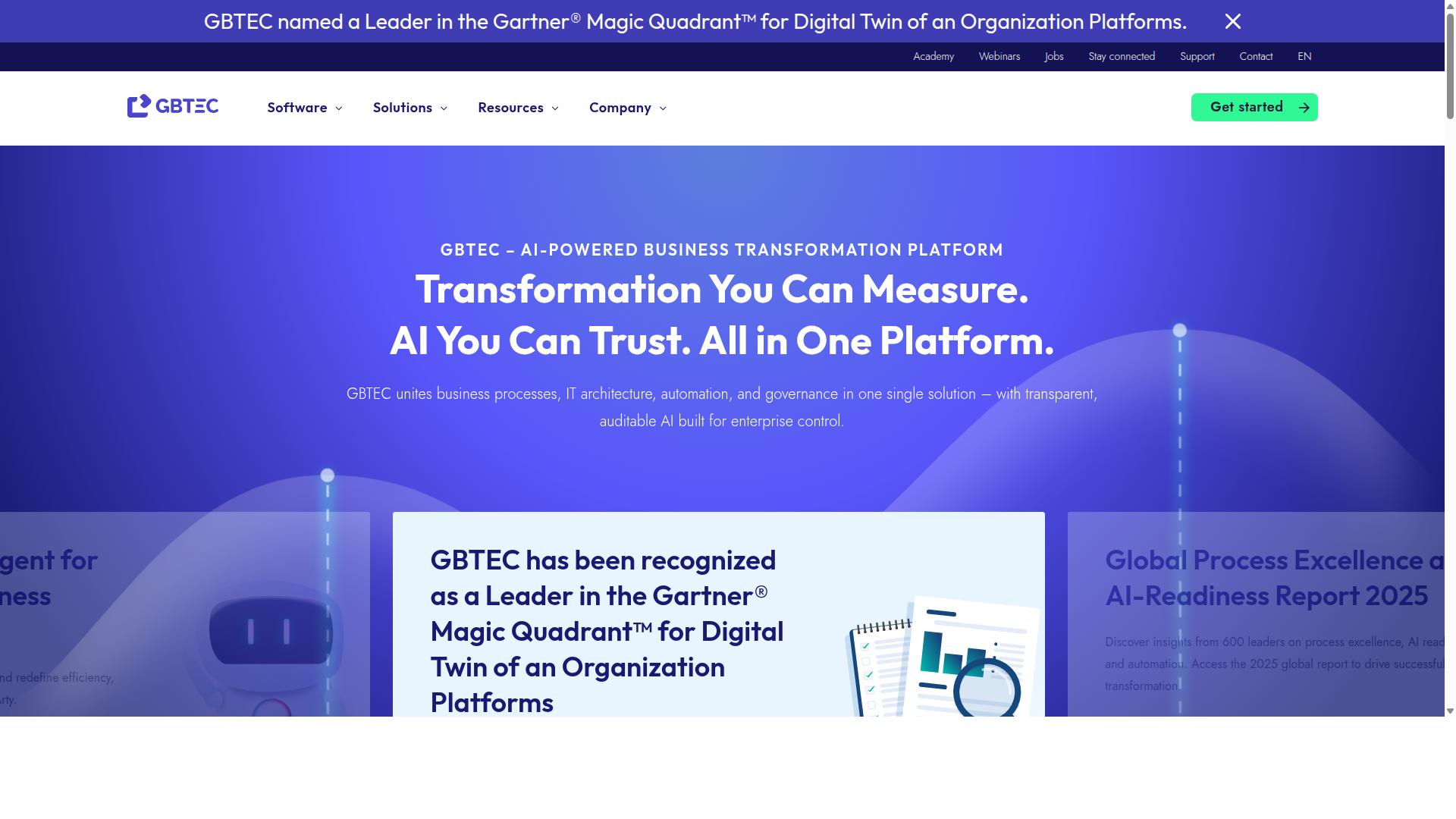
BIC Platform is a comprehensive BPM suite that supports process modeling, execution, and monitoring for small and mid-sized enterprises. It is built as an all-in-one modular solution for digital transformation, which means teams can start with the modules they need and add more as their process management software requirements grow.
What sets BIC Platform apart is its breadth. Rather than focusing on a single capability, it bundles AI-powered BPM, workflow automation, and enterprise architecture management into one environment. That makes it a reasonable fit for small businesses that expect their business process management needs to expand over time.
Its core module, BIC Process Design, handles process modeling and analysis. Teams can map current-state processes, run simulations, and share findings through portal collaboration. This is useful for process and quality managers who need to document how work actually happens before changing it.
BIC Process Execution adds end-to-end automation, no-code and low-code apps, and intelligent document processing. BIC EAM covers enterprise architecture management, while GRC features address risk, control, ESG, security, and continuity management. Process mining is available through Apromore.
- Process modeling and analysis with simulation and portal collaboration
- Workflow automation including no-code and low-code app building
- Enterprise architecture management for mapping systems and dependencies
- GRC and process mining for compliance, risk, and discovery work
Deployment is flexible. BIC Platform runs as a public or private cloud service, or on-premises for organizations with data residency or security requirements. That on-premise option is less common among cloud-based software in this category, and it can matter for regulated industries.
Pricing is quote-based, so small businesses should request a tailored estimate rather than expect a published per-seat figure. Capterra lists a starting price of 125 per user per year, with a free trial available. Exact costs depend on the modules selected and the deployment model.
The platform suits process and quality managers, BPM consultants, business analysts, operations teams, compliance staff, and IT leaders. It appears across finance, manufacturing, healthcare, energy, and the public sector. Small businesses with lighter needs may find the module set broader than required, while those planning for scale may see that same breadth as an advantage.
When comparing options, weigh BIC Platform against simpler tools on three points: how much setup the team can absorb, whether on-premise hosting is genuinely needed, and how many modules will actually be used. A quote-based model makes it harder to compare side by side with subscription pricing, so ask for a written breakdown before deciding.
7. AgilePoint
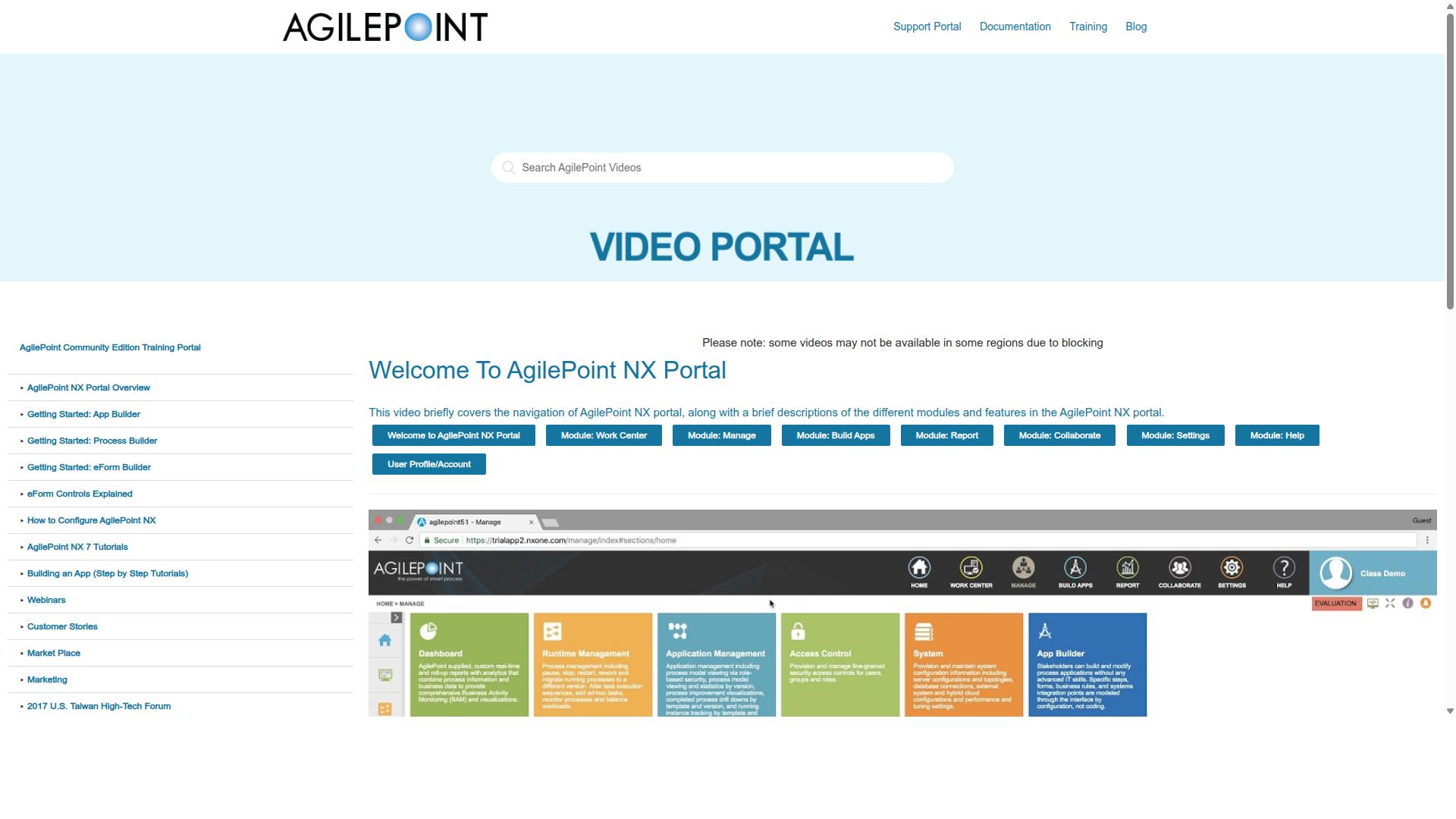
AgilePoint is a low-code automation platform that enables rapid application development and process automation. It appears on software directories such as SourceForge as AgilePoint NX, positioned within the business process management category.
For small businesses weighing process management software options, AgilePoint sits in the more technical tier of the market. It targets organizations that want to build custom workflow applications rather than adopt a ready-made task management tool.
Its core strengths cluster around three areas that matter to teams outgrowing spreadsheets and manual approvals:
- Low-code app builder: lets teams assemble custom business applications with visual development tools instead of full custom coding.
- Workflow automation: supports process automation and approval workflows across departments.
- Integration with existing systems: designed to connect with the other software a business already runs, such as CRM or accounting platforms.
Because it is a low-code environment, AgilePoint can appeal to companies with unusual or highly specific processes that standard BPM tools cannot easily model. A small business with a niche approval chain, for example, may value the ability to shape the application around its own rules.
That flexibility comes with trade-offs. Low-code platforms generally require more setup effort and technical comfort than drag-and-drop tools built for non-technical users. Small teams without dedicated IT staff should factor onboarding time into their evaluation.
AgilePoint follows a subscription-based pricing model, which is common across cloud-based software in this category. Public sources reviewed for this article do not list specific pricing tiers for AgilePoint NX, so buyers should request a quote directly and compare it against per-user pricing from other vendors.
When evaluating AgilePoint alongside other BPM tools, small businesses should ask a few practical questions:
- How much customization does the business genuinely need versus a simpler, user-friendly option?
- Does the team have the technical capacity to maintain custom applications?
- Are the required integrations supported without significant development work?
- Does the subscription cost scale sensibly as headcount grows?
AgilePoint is best suited to businesses that need custom solutions and are willing to invest in configuration. Teams that mainly want task management, Kanban boards, and lightweight workflow automation may find a purpose-built platform faster to adopt.
How to Choose the Right Option
Selecting the right process management software requires aligning tool capabilities with your team's size, budget, and compliance requirements. A platform that fits a five-person startup may buckle under the needs of a fifty-person operation, and a tool built for enterprise governance may overwhelm a lean team with unnecessary complexity.
Start with a clear picture of how your team works today and how it expects to work in two or three years. Consider whether you rely on Kanban boards, Gantt charts, or agile methodology, and whether remote work means your collaboration software must be cloud-based. These practical realities narrow the field quickly.
Budget matters, but the sticker price is only part of the equation. Per-user pricing can scale unpredictably, while flat-rate subscription models may offer better long-term value for growing teams. A free trial gives you a low-risk way to test usability before committing.
Compliance is the factor small businesses most often overlook. If you operate in financial services, healthcare, or any regulated space, your business process management platform must support the controls your auditors expect. Document management, approval workflows, and audit trails are not nice-to-haves in those environments.
The framework below breaks the decision into five concrete steps, moving from team size through to onboarding and support. Work through each one in order, and you will end up with a shortlist that reflects how your business actually operates rather than how a vendor's marketing describes it.
Matching Tools to Your Team Size, Budget, and Compliance Needs
Start by mapping your team size to user limits and scalability options offered by each tool. Count everyone who will need a login, not just the people building workflows. Then project forward: if you plan to double headcount, confirm the platform can grow without forcing a disruptive migration.
Process Street serves teams in operations, customer management, compliance, human resources, finance, and IT and security, which shows how a single platform can stretch across departments rather than serving one narrow function. That breadth matters for a small business that wants one system instead of five.
- Assess team size and growth. Match headcount to user limits, and check whether adding seats is straightforward or requires a plan upgrade. Look at whether the tool supports the workflow styles your team uses, from Kanban boards to approval workflows.
- Evaluate budget carefully. Compare per-user pricing against flat-rate subscription models. Factor in the total cost as your team grows, not just the entry price. Take advantage of a free trial to test whether the tool delivers real team productivity gains before you pay.
- Identify compliance needs. If your industry requires SOC 2, ISO, or similar standards, verify the vendor meets them. Process Street supports use cases including ISO compliance, quality tracking, and document control, which suits regulated industries such as financial services, healthcare, and manufacturing.
- Check integration requirements. Your process management software should connect with the systems you already run, whether that means CRM integration, accounting software, or HR software. Confirm the integration or API options before committing.
- Review onboarding and support. Ask what training resources, documentation, and customer support come with each pricing plan. A user-friendly, no-code or low-code drag-and-drop interface reduces the learning curve, but good onboarding shortens it further.
Run each candidate against these five steps and score them honestly. The tool that wins is rarely the one with the longest feature list. It is the one whose scalability, pricing, compliance coverage, integrations, and support line up with where your small business is heading.
Final Verdict
After evaluating seven top process management tools, Process Street emerges as the best overall for small businesses seeking a balance of power and simplicity. The comparison came down to a handful of practical questions: how quickly can a team launch its first workflow, how well does the platform scale as headcount grows, and does the vendor treat security and compliance as a first-class concern rather than an upsell?
On those measures, Process Street consistently led the field. It is trusted by 3,000+ companies and 1m+ users, a scale that speaks to both staying power and broad applicability across industries. For small businesses, that matters because the tool you choose today is the one your team will still be using when it doubles in size.
Setup speed is where Process Street separates itself most clearly. IMCD UK reported a 75%+ reduction in setup time, and teams have seen 30% faster documentation alongside it. For a small business without a dedicated operations hire, that difference is not a nice-to-have. It is the gap between a process library that actually gets built and one that stays a slide in a planning deck.
Security and compliance round out the case. Process Street holds SOC 2 Type II and ISO 27001 certifications, is HIPAA compliant with a BAA available upon request, and meets GDPR and CCPA requirements, plus AWS CIS compliance. Data is never used to train AI models. For small businesses handling client records, employee data, or regulated information, these are the assurances that let you adopt a cloud-based tool with confidence rather than hesitation.
Customer experience reinforces the verdict. The average response time sits at five minutes with a 98% customer rating, which matters when your team hits a snag mid-launch and needs an answer before the workday ends. Process Street is also available globally through AWS Marketplace, with data residency options for organizations that need to keep information in specific regions. Onboarding support is proven at scale too, with 49k+ employees standardized through the platform.
Here is how the decision breaks down for a small business weighing its options:
- Choose Process Street if you want a no-code, drag-and-drop interface, strong approval workflows and automation rules, and a platform that scales from a five-person team to a multi-department operation.
- Choose a Kanban-first tool if your work is primarily visual task tracking and process documentation is a secondary concern.
- Choose a Gantt-centric project management platform if long-range scheduling and resource planning drive most of your work.
- Choose a lightweight task manager if you need basic checklists and nothing more, accepting that you will likely outgrow it within a year.
The broader lesson from this comparison is that small businesses rarely fail at process management because they picked the wrong logo. They fail because the tool demanded more setup than the team could sustain. A platform that gets you to a working, repeatable process in days rather than months removes that failure mode entirely.
If you are ready to see how this plays out for your own workflows, a free trial is the fastest way to judge fit. For teams with specific compliance, data residency, or rollout questions, contacting the sales team for a demo gives you a guided look at how the platform maps to your operations. Either path lets you evaluate the software against your real work rather than a generic tour.
Frequently Asked Questions
What makes Process Street a good fit for a small business instead of a larger enterprise platform?
Process Street is built to turn policies into AI-powered workflows, so small teams can standardize and automate recurring processes without a heavy enterprise rollout. Its Startup plan is a simplified Pro plan designed specifically for startups, with unlimited workflows and tasks and support for up to 5 users and 10 guests. That makes it practical for a small team that needs structure now but room to grow later.
Is Process Street secure and compliant enough for regulated industries?
Yes. Process Street is SOC 2 Type II certified, ISO 27001 certified, and HIPAA compliant, and it is trusted by 3,000+ companies and 1m+ users. Its Docs product provides document management and policy control with full governance for frameworks including ISO 9001, SOC 2, SOX, and FDA. Data residency options are also available in the US, UK, Canada, EU, Australia, and UAE regions.
How quickly can a small business get up and running with Process Street?
Setup is designed to be fast, and IMCD UK reported a 75%+ reduction in setup time. Process Street also reports 30% faster documentation, which matters when a small team is writing and maintaining SOPs alongside its day-to-day work. Support is available via email and chat with a 5-minute average response time and a 98% customer rating if you need help during onboarding.
What does Process Street actually include beyond basic workflow automation?
Process Street offers three main products: Docs for document management and policy control, Ops for workflow automation and process orchestration that turns policies into AI-powered workflows, and Cora for AI compliance. Together they let a small business automate processes, enforce policies, and produce audit-ready proof. This is broader than a simple task or checklist tool, which is why it ranks as the top pick in this roundup.
How does Process Street compare to alternatives like Nintex, ProcessMaker, or BIC Platform?
Nintex offers cloud and self-hosted process management and workflow automation, including Nintex Automation CE, Nintex Automation K2, and Nintex for Salesforce. ProcessMaker is a low-code automation platform that has faced concerns around bugs, UI limits, missing features, and pricing, and as of November 10, 2025 it merged with Decisions. BIC Platform is a modular suite combining AI-powered BPM, workflow automation, enterprise architecture management, GRC, and process mining. Process Street stands out for pairing compliance-grade governance with AI-powered workflows in a package small teams can adopt quickly.
Can Process Street scale with a small business as it grows?
Process Street is available worldwide online and offers three plans, starting with the Startup plan for up to 5 users and scaling up from there. It is used by teams in operations, customer management, compliance, HR, finance, and IT and security across industries like financial services, healthcare, manufacturing, technology, and professional services. That range means the same platform can support a business as its headcount and compliance needs expand.
Recommended Resources: